CloudAtlas
CloudAtlas is a unified cloud services reference that documents over 400 services across Azure, AWS, and GCP. It started as an internal tool at BITSUMMIT and turned into something we use on every engagement.
Cloud infrastructure has a naming problem. Every provider calls the same concept something different. Teams waste time translating between providers, hunting for the right abbreviation, or writing IaC templates from scratch.
We wanted one place where you could look up any cloud service, get its naming convention, and grab a working template. No context switching. No guessing.
The problem
When you work across Azure, AWS, and GCP daily, you realize how much time is lost to simple lookups. What's the abbreviation for Azure Kubernetes Service? What's the AWS equivalent of Azure Cosmos DB? How do you name a GCP resource consistently?
Every organization we worked with had their own spreadsheet, their own naming convention document, their own set of bookmarks. None of them were complete. Most were outdated.
We were maintaining the same scattered knowledge across dozens of client engagements. It was the kind of problem that seems small until you multiply it by every engineer on every project.
One reference, every cloud
CloudAtlas covers 180+ Azure services, 140+ AWS services, and 100+ GCP services. Each entry includes the standardized abbreviation, naming convention, and ready-to-use IaC templates.
You can switch between providers instantly. The interface unifies them under one consistent structure so you never have to context switch between three different documentation sites.
The idea was simple: if you know what you need in one cloud, you should be able to find the equivalent in another in seconds.
Naming the unnamed
One of the first things we tackled was naming conventions. In cloud infrastructure, consistent naming is the difference between a manageable environment and chaos. But no provider gives you a definitive abbreviation list.
We catalogued every service and assigned standardized abbreviations. These aren't arbitrary. They follow patterns that make resources identifiable at a glance in CLI output, portal dashboards, and IaC code.
Teams can adopt these conventions across their entire estate and finally have consistency regardless of which provider they're working in.
Infrastructure as Code
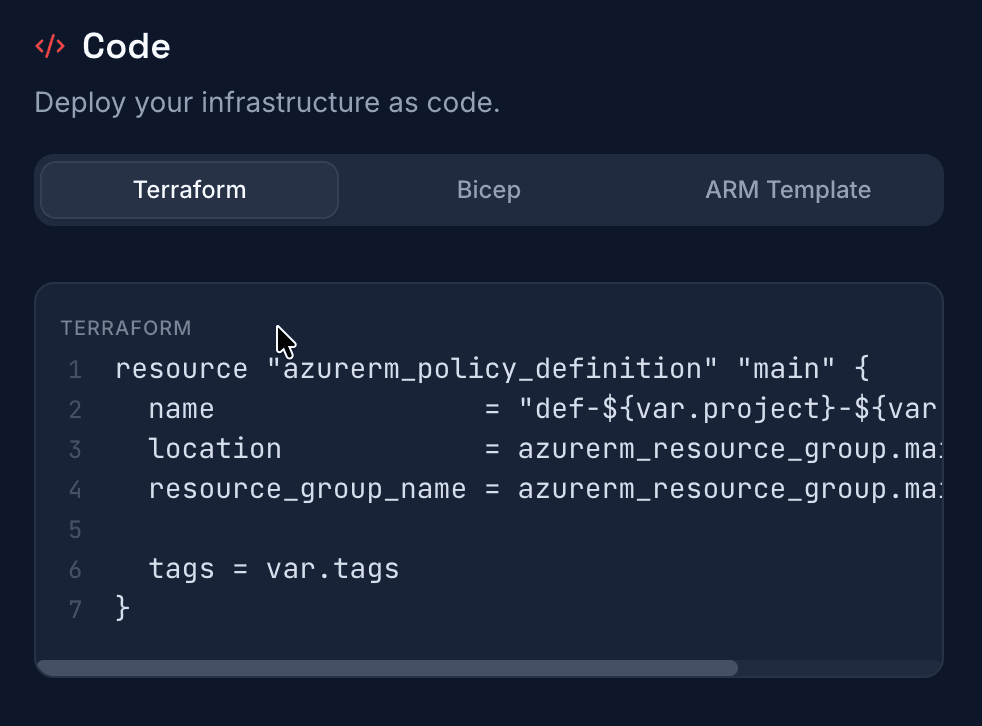
Every service in CloudAtlas ships with IaC templates. For Azure, you get Terraform, Bicep, and ARM. For AWS, Terraform and CloudFormation. For GCP, Terraform and Deployment Manager.
These are not toy examples. They're the same templates we use in production across client engagements. Grab one, adjust the variables, and deploy. That's the point.
We also include CLI examples for each provider. Sometimes you just need to spin something up quickly. The templates are there when you need them, but they're not mandatory reading.
The periodic table
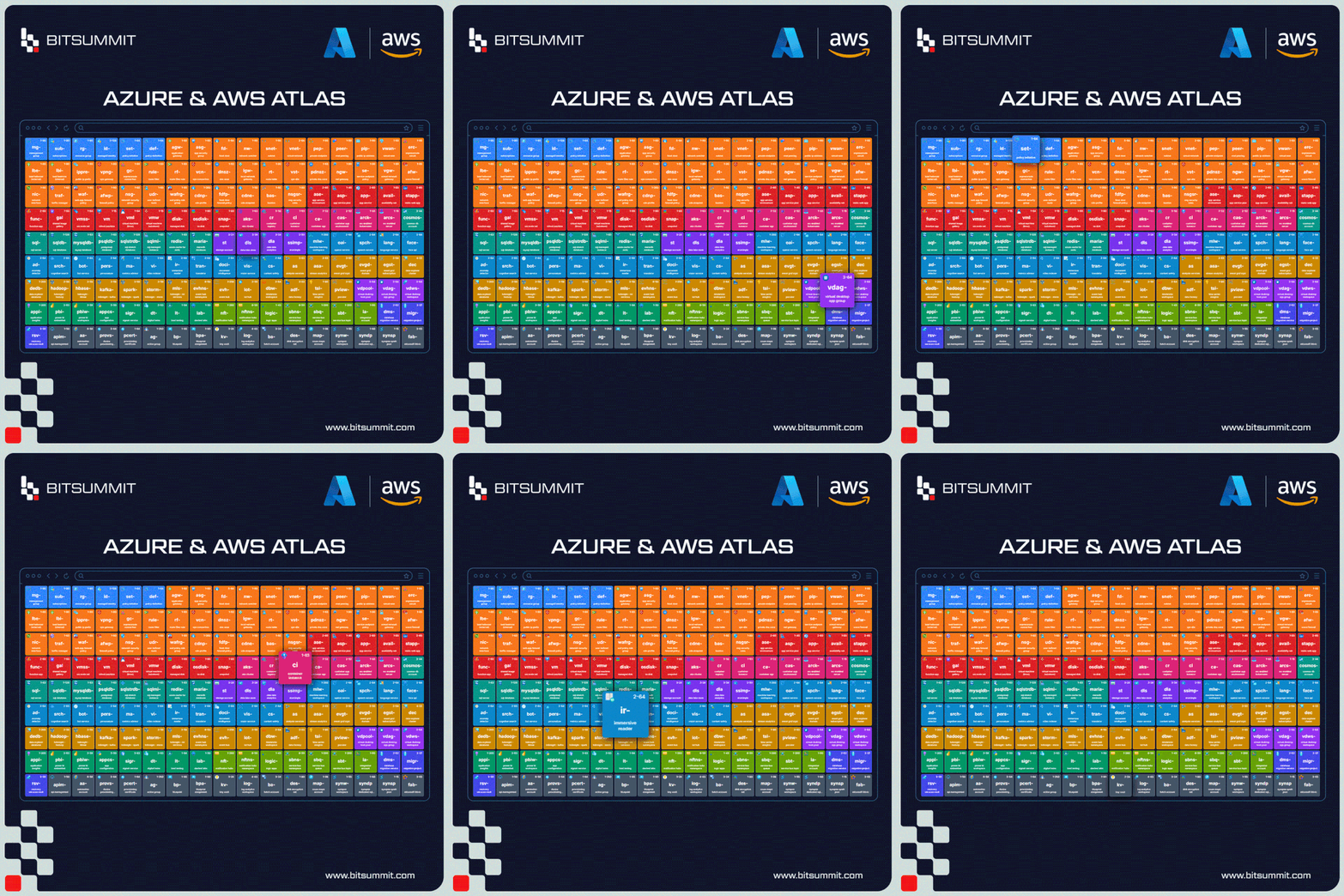
The interface is organized as a periodic table-style grid. Each service gets a tile with its abbreviation, and services are grouped by category. It's a visual approach that makes 400+ services navigable without being overwhelming.
You can search, filter by category, or just browse. The grid adapts per provider, so switching from Azure to AWS reshuffles the table to reflect that provider's service landscape.
There's something satisfying about seeing the entire surface area of a cloud provider laid out in one view. It gives you a sense of the terrain that documentation sites never quite manage.
Open by default
CloudAtlas is open-source. We built it because we needed it, and we open-sourced it because everyone else does too.
It's always up to date. When providers add or rename services, we update the reference. When new IaC patterns emerge, we add templates.
The consulting industry has a habit of hoarding knowledge behind engagement walls. We think the opposite approach works better. Give away the reference material. Show up with expertise on how to apply it.
# Clone the repositorygit clone https://github.com/bit-haseebminhas/Cloud-Atlas.gitcd Cloud-Atlas├── app/ # Next.js App Router pages│ ├── api/chat/ # AI chat API route│ ├── resource/[slug]/ # Dynamic resource pages│ └── page.tsx # Home page├── components/ # React components│ ├── layout/ # Header, footer│ ├── periodic-table/ # Grid and card components│ ├── resource-detail/ # Detail panel and chat│ └── ui/ # shadcn/ui components├── data/│ └── resources.json # Azure resources data├── lib/ # Utilities├── types/ # TypeScript types└── public/ # Static assets